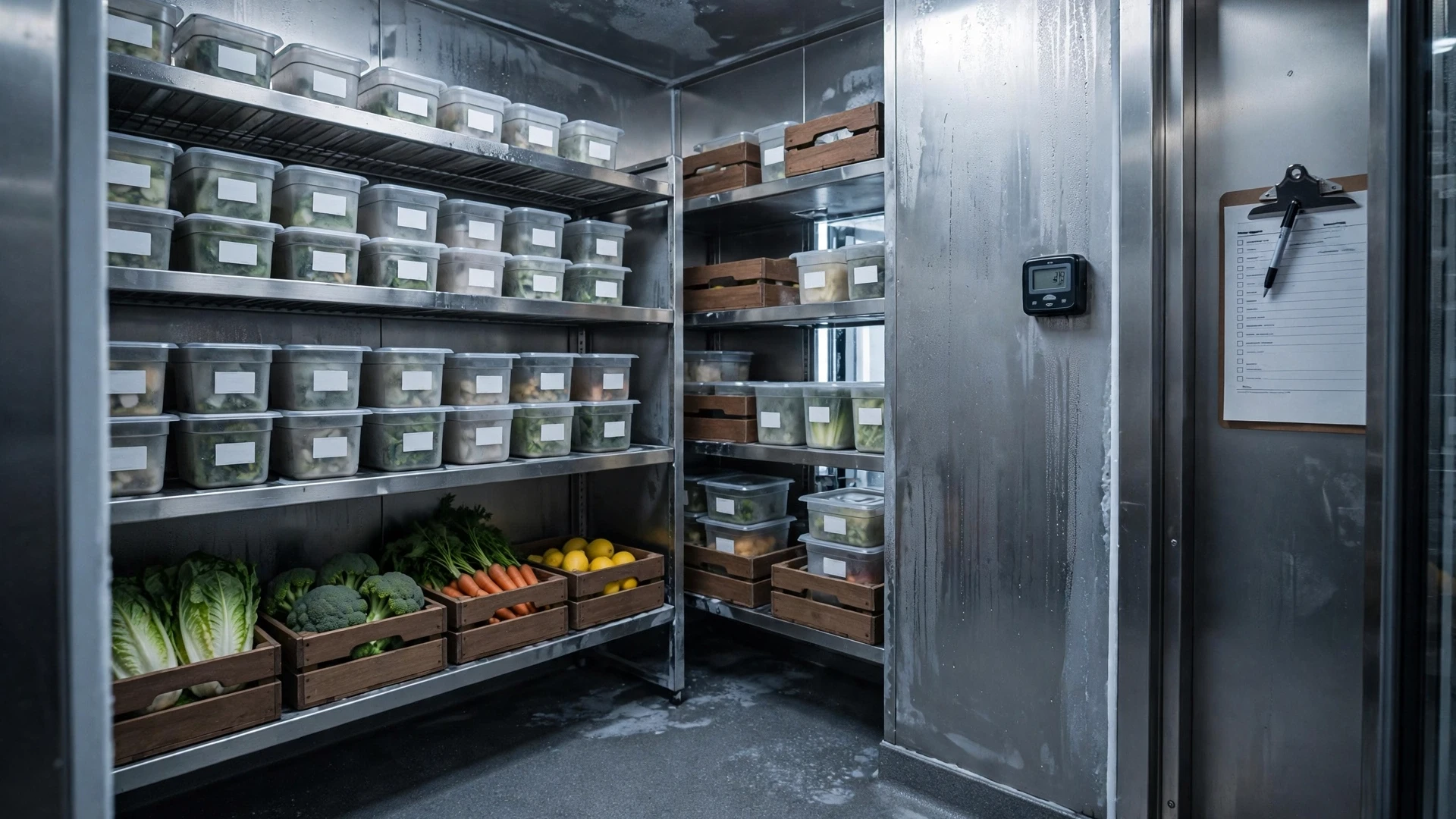
A walk-in inspection is a control route, not a glance at the thermometer
A useful walk-in cooler inspection is a short operating diagnosis, not a thermometer ritual. The manager is trying to answer four separate questions: is cold holding under control, can air circulate, is food stored in a traceable and safe way, and is the refrigeration system showing an early symptom that deserves maintenance attention? Those questions should be checked in the same order every day so a change is easier to spot and hand over.
Use a seven-minute route: door and seal, controller/alarm, recent loading context, airflow zones, high-risk storage, visible equipment symptoms, then exception closeout. If a condition is abnormal, do not bury it in a comment box. Classify it as green, amber or red and define the next action before leaving the cooler.
| Status | Use it when | What the manager does next |
|---|---|---|
| Green | Temperature trend, storage, airflow and door condition are normal. | Record the check and continue normal operation. |
| Amber | A known issue is controlled but needs correction or follow-up. | Name an owner, corrective action and recheck time. |
| Red | Food condition, refrigeration control or equipment reliability is uncertain. | Follow the restaurant’s approved food-safety response and escalate the refrigeration or safety issue immediately. |
The first sixty seconds: door, seal and recent loading
Before looking at shelves, confirm that the door closes by itself as intended, the gasket seats, nothing blocks the threshold and there is no unusual condensation or ice around the frame. A blocked door can imitate a mechanical problem, so remove carts, mats or cases from the diagnosis before assuming the refrigeration system is failing. Then ask what just happened operationally: was there a large delivery, repeated door opening or warm product loaded into the box?
This context matters because a controller reading after heavy receiving means something different from the same reading on a quiet morning. Record the reading, recent activity and whether the condition is recovering. When the site procedure requires product verification, use the approved sanitized thermometer method rather than relying on the display alone.
Use a temperature exception as a decision tree
- Confirm the reading using the restaurant’s approved method.
- Check whether the door is sealing and whether recent loading explains the change.
- Look for blocked airflow, unusual ice, fan symptoms or dense case stacking.
- Protect or isolate product according to the food-safety plan if condition is uncertain.
- If the temperature does not recover as expected, escalate maintenance with the evidence already collected.
The goal is to separate operating causes from equipment causes without guessing. A manager does not need to diagnose a refrigeration circuit; the manager needs to preserve product control, describe the symptom accurately and know when normal recovery has become a maintenance issue.
Inspect airflow and loading discipline
Cold air must circulate. Product packed tightly against evaporator discharge, ceiling, walls or return-air paths can create uneven temperatures even when the display looks acceptable. Mark practical no-stack zones where the manufacturer or service provider requires clearance. Keep high-volume receiving from turning the walk-in into a wall of cases that blocks air movement.
Use shelving to separate product from the floor and maintain cleanable access. The inspection should flag not only overloading but also improvised storage that makes rotation, cleaning or leak detection difficult.
Storage order, labels and raw-product separation
The manager should check whether storage follows the restaurant’s food-safety plan: covered containers, readable labels, date marks where required, appropriate separation of raw and ready-to-eat food, and protection from drips or leaks. The walk-in is often where prep, receiving and leftovers meet, so small labeling failures can become inventory and safety problems quickly.
Do not treat the inspection as a paperwork hunt. Focus first on items with the highest safety, waste or traceability risk: unlabeled prepared food, damaged packaging, thawing product, leaking raw product, unknown leftovers and containers placed where they can contaminate other food.
Use stock condition as an early-warning system
A daily route can reveal inventory problems before the weekly count: duplicate open cases, excess prep, slow-moving ingredients, wilted produce, freezer-burned transfers, unexplained partial containers or products repeatedly stored in the wrong location. Photograph or log repeat issues and connect them to purchasing, prep pars or receiving controls rather than simply rearranging the shelf.
A walk-in that is consistently overfull may indicate poor ordering discipline, an oversized delivery pattern or a menu with too many low-velocity ingredients. Space pressure is often an operating signal.
Look for equipment symptoms managers can safely observe
Managers should know observable symptoms that require escalation (paired with a broader restaurant equipment maintenance checklist): unusual fan noise, persistent icing, water where it should not be, damaged door hardware, repeated temperature recovery problems, oil-like residue, electrical odor or alarms. The inspection does not authorize staff to open panels, bypass safeties or perform refrigeration repairs.
Record the symptom, time, temperature context and immediate food-protection action. That information helps a qualified technician diagnose the issue and helps management decide whether product must be relocated.
A practical daily route
- Door and gasket first.
- Display/alarm status second.
- Representative product condition and temperature checks according to the site plan.
- Evaporator and airflow clearance.
- Shelving, covers, labels and raw/ready-to-eat separation.
- Floor, drains and visible moisture or leaks.
- Slow-moving, damaged or over-prepped stock.
- Exception log with owner and escalation.
Example: warm reading after a delivery
The cooler display rises after a large delivery. Instead of assuming equipment failure, the manager notes that the door was open repeatedly and several warm cases were loaded directly into the box. Airflow is clear, the door seals normally and the temperature is trending back toward normal. The manager records the event, shortens door-open time on the next delivery and continues monitoring. If recovery stalls or product control limits are not met, the issue escalates immediately.
The example shows why time, loading history and trend matter. It does not replace the restaurant’s food-safety limits or local requirements.
Illustrative case: the same warm corner three days in a row
Suppose the manager records an unusual condition on the same lower shelf on Monday, Tuesday and Wednesday while the controller display otherwise looks normal. On Monday the shelf is heavily packed after receiving. On Tuesday the manager clears the cases away from the airflow path and marks the zone for a recheck. On Wednesday the same localized issue returns even with the shelf loaded correctly. That sequence changes the decision: the first observation suggested a loading problem; the repeated condition after correcting the loading pattern now gives maintenance a more useful reason to investigate the physical zone.
The manager’s record should preserve the sequence: time, zone, controller reading, recent door/loading activity, product-control action under the site food-safety plan, storage correction and recheck result. The maintenance note can then say, in effect, “localized condition repeated after airflow obstruction was removed,” which is much more useful than “cooler feels warm.” If the product itself is ever uncertain, the restaurant follows its approved food-safety procedure independently of the equipment diagnosis.
This is the operating value of a daily route: it creates comparable evidence. A single observation starts a check; repeated evidence after a corrective step tells the manager when the problem has moved beyond ordinary storage discipline and deserves technical escalation.
Daily walk-in log fields
- Time and manager initials.
- Display temperature and any required product check.
- Door/gasket condition.
- Airflow obstruction yes/no.
- Leak, ice or condensation observation.
- Label/storage exception.
- Slow-moving or damaged stock note.
- Corrective action, owner and escalation reference.
Common mistakes
- Checking only the wall display.
- Stacking product against airflow paths after a busy delivery.
- Using the cooler as overflow storage without assigned locations.
- Normalizing ice, water or door-seal problems because the unit “still feels cold.”
- Rearranging questionable food without documenting why it was flagged.
- Allowing daily inspection findings to disappear instead of feeding purchasing, prep or maintenance follow-up.
FAQ
Q: How often should the walk-in be inspected? A: The full routine should match the operation and food-safety plan, with critical conditions checked whenever staff enter or load the cooler.
Q: Can a manager diagnose refrigeration problems? A: Managers can document symptoms and protect product, but technical diagnosis and repair should go to qualified service personnel.
Q: Should product temperature be checked every time? A: Follow the site’s HACCP/food-safety procedure and local requirements; a display reading alone is not always enough for a critical deviation.
Q: What if the walk-in is always crowded? A: Treat that as an inventory and purchasing problem as well as a storage issue.
Next action
Walk the route today in the same order you want managers to use every day. Mark one airflow zone, one door condition, one storage condition and one stock-risk observation. If the same exception appears repeatedly, move it into the appropriate maintenance, purchasing or prep-control system rather than recording it forever.
Receiving practices can destabilize the cooler
Large deliveries change door-open time, product load and airflow. Coordinate receiving so cases are checked and moved efficiently rather than leaving the door open while invoices are resolved. Where practical, stage paperwork and count outside the box and move accepted product in planned waves. This reduces temperature recovery stress and keeps aisles clear.
After a delivery, schedule a short recovery check instead of assuming the walk-in immediately returned to normal. If recovery problems repeat under normal loads, document the pattern for maintenance review.
Use photos carefully as evidence
A photo can document recurring ice, damaged gaskets, blocked airflow or storage drift, but it should support—not replace—the inspection record. Include date/time and location, avoid capturing sensitive employee information unnecessarily, and store evidence where maintenance or food-safety leaders can access it.
Before closing a recurring issue, compare the “after” condition with the original evidence. This makes the log a real corrective-action system rather than a list of observations.
Why maintenance history belongs in the cooler log
The inspection route should connect with the maintenance calendar. A door gasket that is beginning to crack, a drain that repeatedly backs up or an evaporator area that ices intermittently may not require the same-day response as an unsafe temperature deviation, but it still needs a tracked maintenance action. Recording small defects early is cheaper than discovering them during a busy weekend when capacity is already tight.
For multi-unit operations, compare cooler exception patterns by location rather than only by technician call volume. One site may show frequent door-open recovery problems because deliveries arrive during peak prep, while another may show airflow blockage because shelf layout is poor. The equipment may be identical but the operating cause can be different, so corrective action should follow the evidence.
Inspect product condition, airflow and recovery together
A walk-in can display an acceptable controller temperature while operating practices create local problems. Warm deliveries stacked together, cases pushed against evaporator airflow, blocked return air, frequent door opening or dense shelf loading can slow recovery and create uneven conditions. During the inspection, look at product placement and recent activity as well as the display. When a reading is unusual, verify it using the restaurant’s approved method and record where the measurement was taken. A number without location, timing and context is weak evidence because it cannot distinguish equipment failure from loading or door-use effects.
Keep product disposition separate from equipment diagnosis. If food condition or temperature creates a safety question, follow the restaurant’s food-safety program for evaluation, isolation and escalation first. Then document the evidence that maintenance needs: alarm history, frost or ice pattern, door seal condition, fan or compressor noise, drain condition, recent loading and recovery behavior. This prevents two common failures—staff focusing on the machine while uncertain product stays mixed with normal stock, or discarding product without preserving the evidence a technician needs to find the cause. Small recurring defects should enter the maintenance calendar before they become a peak-service breakdown.
Use cooler evidence to improve receiving and storage practice
A repeated cooler problem may begin outside the refrigeration system. Large deliveries loaded all at once, doors held open during receiving, hot product placed into dense storage or staff repeatedly reorganizing shelves during peak prep can create recovery patterns that look like equipment weakness. Compare cooler exceptions with delivery times, receiving volume and door-open activity before assuming the compressor is the cause. If operating behavior is contributing, redesign the receiving sequence or staging area and then watch recovery on the next comparable delivery. If the same abnormal pattern remains after the operating change, maintenance has stronger evidence that the issue is mechanical. This is why the inspection record should include context rather than only temperature. The goal is a cooler that supports safe, orderly storage under normal restaurant behavior, not a daily form that merely documents the display reading.
Track recurring cooler exceptions by zone
When the same shelf, corner or product family repeatedly shows condition or temperature concerns, map the pattern inside the cooler. Localized exceptions can point to blocked airflow, loading habits, door exposure or an equipment issue that a single average reading hides. A simple zone note on the inspection sheet helps technicians and managers compare like-for-like evidence over time and keeps the investigation focused on the physical area where the problem actually appears.
Walk-in cooler operating standards to keep consistent
- temperature monitoring performed according to the site food-safety plan
- leaks, ice, unusual noise or condensation escalated promptly
- scan shelves from top to bottom for storage risks
- review high-value and high-risk products for date and condition
- look for airflow, drainage, seal and condensation problems
- remove or isolate questionable product according to policy
- log the exception, owner and recheck rather than relying on memory
A manager notices a warm corner shelf while the display temperature looks normal. Product is not automatically declared unsafe from that observation alone; the restaurant follows its food-safety procedure, verifies product conditions and escalates the equipment issue. The key is evidence and controlled response, not guesswork.
Related tools for cooler, inventory and maintenance control
Recurring refrigeration or door issues belong in the equipment maintenance checklist; repeated overstock, dead stock or storage pressure should feed the inventory and purchasing review. Use the free tools library when a cooler exception also needs an inventory or cost calculation.