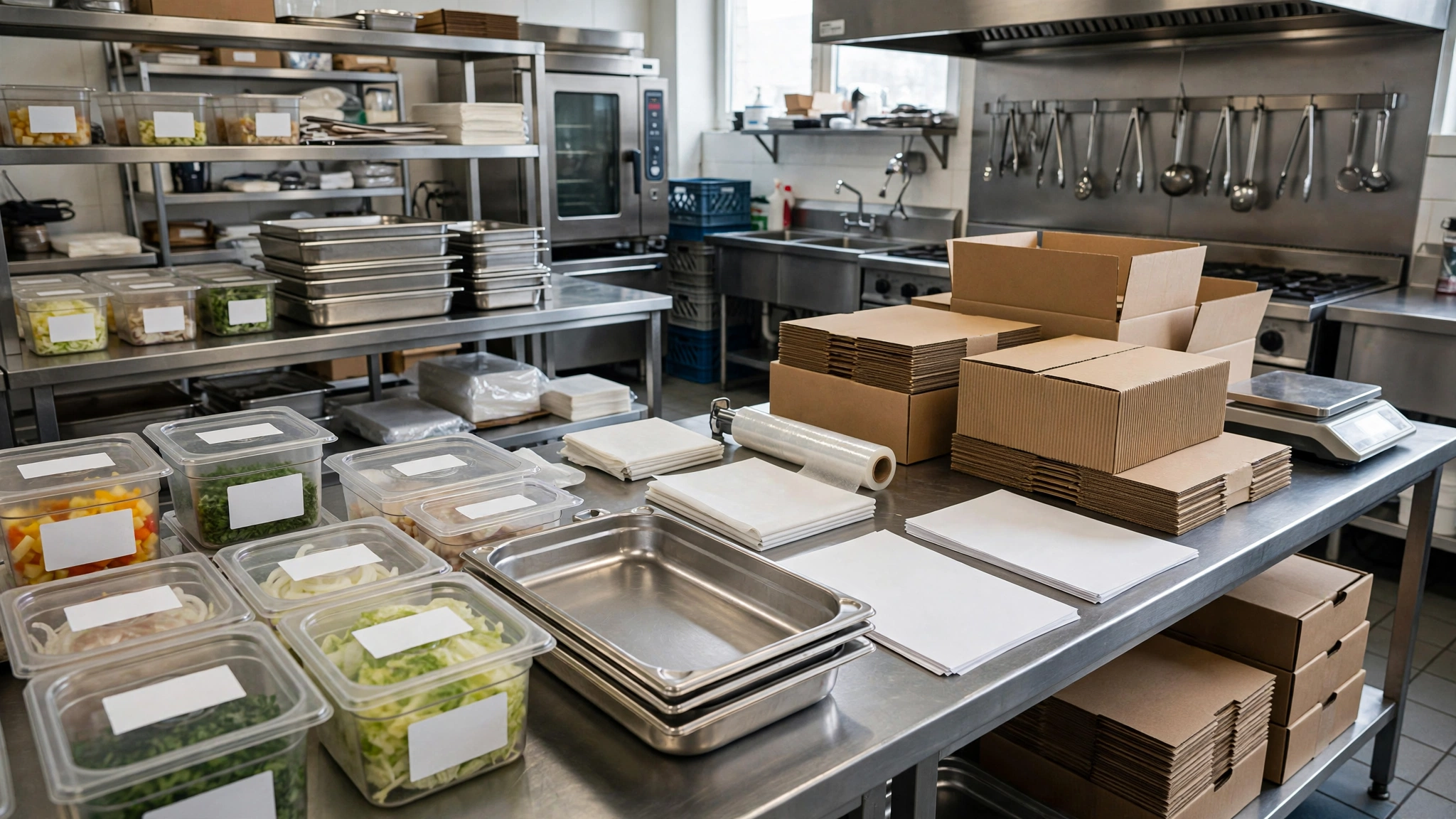
Catering becomes difficult when the order is sold correctly but the operation is not translated into a production plan.
A confirmed guest count, menu and delivery time are not enough. The kitchen still needs to know what must be prepped, when each batch should be cooked, who owns every task, what equipment travels with the order, when the vehicle leaves and what must happen at the venue.
A catering production sheet connects those moving parts into one operating document.
What a catering production sheet should do
The sheet should convert the event order into an executable timeline.
It should answer:
- What are we producing?
- How much of each item is required?
- When should each item be prepped and cooked?
- Who is responsible?
- What packaging and service equipment is required?
- When does loading start?
- When must the vehicle leave?
- What happens after arrival?
The goal is to prevent the event from depending on one manager’s memory.
Start with a locked event summary
Before production begins, the operational team needs one confirmed event summary.
Include:
- event date,
- venue,
- guest count,
- service style,
- delivery or setup time,
- menu,
- dietary and allergen notes,
- contact person,
- special service requirements.
If the sales order changes, the production sheet should be updated deliberately. Do not allow kitchen teams to work from old screenshots or verbal amendments.
Separate guest count from production quantity
A guest count tells you demand. It does not automatically tell you production quantity.
The production quantity depends on:
- portion standard,
- buffet versus plated service,
- menu mix,
- expected take-up by item,
- agreed contingency,
- yield and cooking loss.
For example, 100 guests do not necessarily require 100 portions of every buffet item.
Use our Catering Food Quantity Planning guide to calculate the demand side before production quantities are locked.
Create one production line for every menu component
Do not list only the final dish name.
Break complicated dishes into production components where useful.
For example, instead of only:
Chicken rice bowl — 120 portions
the production sheet may need:
- marinated chicken,
- cooked rice,
- sauce,
- garnish,
- packaging set,
- label.
This makes dependencies visible.
Use standardized recipes as the production base
A production sheet should not replace the recipe.
The recipe tells the team how to make the item.
The production sheet tells the team how much to make and when.
If a standard recipe produces 20 portions and the event requires 100 portions, production may require five standard batches, subject to equipment capacity and the recipe’s scaling rules.
For larger events, see our recipe scaling guide.
Convert required portions into batches
This is one of the most important catering controls.
Suppose:
- required portions: 180,
- standard batch yield: 30 portions.
180 ÷ 30 = 6 batches
The sheet should show six batches, not just 180 portions.
That helps the kitchen judge equipment, labor and timing realistically.
Check equipment capacity before confirming the timeline
Production math can be correct and still fail operationally.
If an oven holds two trays and production requires twelve trays, the timeline must account for six oven cycles.
Check:
- oven capacity,
- burner capacity,
- fryer capacity,
- mixer or dough capacity,
- blast-chill or cooling capacity where used,
- refrigeration space,
- hot-holding capacity.
Equipment is often the true bottleneck in catering production.
Work backward from service time
Do not start the plan with “begin cooking at 8:00.”
Start with the required service or delivery time and work backward.
Example:
| Time | Milestone |
|---|---|
| 7:00 p.m. | Guest service begins |
| 6:30 p.m. | Buffet fully set |
| 6:00 p.m. | Vehicle arrives |
| 5:15 p.m. | Vehicle departs kitchen |
| 4:45 p.m. | Final loading complete |
| 4:15 p.m. | Hot food packed |
| 3:45 p.m. | Final cooking completed |
Times above are illustrative and should reflect the actual event, food-safety requirements, route and service model.
Separate advance prep from event-day production
Every task should be classified by when it can safely and operationally be completed.
Typical groups:
- two or more days before,
- day before,
- event morning,
- final production window,
- load-out window,
- on-site setup.
This prevents too much work from being pushed into the last two hours.
Use a prep dependency sequence
Some tasks cannot begin until another task is complete.
For example:
Receive chicken → trim → marinate → cook → portion → pack → load
If receiving is delayed, the entire chain moves.
The production sheet should make critical dependencies visible.
Assign every task to a role or person
“Kitchen team” is often too vague.
Use clear ownership such as:
- cold kitchen lead,
- hot kitchen lead,
- pastry,
- packing lead,
- driver,
- event captain.
If the operation is small, one person may own several tasks. The important point is that each task has an owner.
Show planned start and finish times
A useful production line should include:
- task,
- quantity or batches,
- planned start,
- planned finish,
- owner,
- status,
- exception note.
This makes delays visible before they become dispatch failures.
Build in quality-control points
Do not wait until loading to discover production errors.
Useful checks may include:
- batch yield,
- portion count,
- appearance,
- label accuracy,
- packaging count,
- temperature checks where required,
- special dietary items.
The exact controls should match the product and local food-safety requirements.
Mark allergen and dietary orders separately
Special dietary items should not disappear inside the main production total.
Record them clearly with the restaurant’s approved safety process.
For example:
- main menu: 116 portions,
- vegetarian: 3 portions,
- confirmed allergen-controlled meal: 1 portion handled under the site’s approved procedure.
Do not promise an allergen outcome the operation cannot safely control.
Plan packaging as part of production
Food is not production-complete until it is in the correct service or transport format.
List packaging requirements such as:
- food pans,
- lids,
- sealed containers,
- labels,
- sauce cups,
- insulated carriers,
- delivery bags or crates.
Missing packaging can delay an otherwise completed kitchen.
Create a separate equipment load list
Food is only one part of a catered event.
The load list may include:
- chafers or approved hot-holding equipment,
- serving utensils,
- tables or risers,
- extension equipment where approved,
- napkins and disposable serviceware,
- signage or menu cards,
- sanitation supplies,
- waste bags,
- backup smallwares.
Use one load list rather than relying on several employees to remember their own pieces.
Use a pack count
For containerized food, record how many units should leave the kitchen.
Example:
- rice: 6 hotel pans,
- chicken: 8 pans,
- sauce: 4 containers,
- salad: 5 tubs.
At loading, count units against the sheet.
This is more reliable than saying “all the rice is there.”
Separate food loading from equipment loading
Use two checks if necessary:
- food loaded,
- equipment loaded.
That helps prevent situations where the food reaches the venue without serving utensils or the buffet equipment arrives without a key component.
Assign a final dispatch checker
The person producing food should not be assumed to have checked the vehicle.
One named person should verify:
- food count,
- special meals,
- equipment,
- documents,
- venue contact details,
- departure time.
This is the catering equivalent of a final delivery-bag check, but at event scale.
Plan vehicle departure, not just event arrival
Arrival time alone is not an operating plan.
Calculate departure from:
- drive time,
- expected traffic,
- parking or unloading time,
- security or venue access,
- setup duration,
- a realistic contingency.
If service begins at 7:00 p.m. and setup requires 45 minutes, arriving at 6:45 p.m. is already late.
Use a venue access note
Record operational details such as:
- loading entrance,
- floor or room,
- lift access,
- parking restrictions,
- contact on arrival,
- setup location,
- power or water access if relevant.
These details can save more time than an extra cook in the kitchen.
Create an on-site setup sequence
The event team needs a simple order of work.
For buffet service, it might be:
- Confirm venue handover.
- Position tables and service equipment.
- Set sanitation and service tools.
- Bring in non-food equipment.
- Bring in cold food.
- Bring in hot food at the appropriate time.
- Verify menu labels and special meals.
- Complete final presentation check.
- Brief service staff.
The exact sequence depends on the event and food-safety plan.
Do not send the only copy of the plan with one person
The kitchen, dispatch lead and event captain should all have access to the current version.
If the driver is delayed or a phone dies, the operation should not lose the event instructions.
Use version control for late changes
Catering orders change.
The risk is not the change itself. The risk is different teams working from different versions.
Add:
- revision number,
- last updated time,
- person who approved the change.
When a new version is issued, old production copies should be clearly superseded.
Use one change cutoff
Commercial and operational teams should agree when normal menu and quantity changes close.
Changes after that point may still be possible, but they should trigger an explicit feasibility check rather than silently entering production.
This protects labor planning, purchasing and production timing.
Link the sheet to the event price
The final production plan can reveal work that was not obvious during quoting.
Examples:
- extra delivery trip,
- long venue setup,
- special equipment rental,
- high service labor,
- late-night collection.
Review these lessons in future quotations. Our Catering Event Pricing guide covers the commercial side.
Connect the catering sheet to the kitchen prep list
The event plan should feed the kitchen’s normal prep system rather than operate as a completely separate universe.
Event quantities can be transferred into the daily prep list with a clear event reference.
See our Restaurant Prep List guide for the daily production-control structure.
Prevent double production
If catering prep is entered into the daily kitchen plan, mark it clearly so the same requirement is not produced once for the event sheet and again for the normal prep list.
Use a single source for each final quantity.
Track actual production against plan
After the event, record meaningful differences.
Examples:
- planned 12 trays, produced 13,
- planned 180 portions, returned 35,
- dispatch left 20 minutes late,
- setup took 60 minutes instead of 40,
- three pieces of equipment were unnecessary.
This turns each event into planning data for the next one.
Measure overproduction
A simple event-level measure is:
Overproduction % = Excess produced quantity ÷ Planned required quantity × 100
If 210 portions were produced for a planned requirement of 190:
20 ÷ 190 × 100 = approximately 10.5%
That does not automatically mean the plan was wrong. Some contingency may have been intentional. The value is in seeing the difference.
Measure dispatch performance
Track whether events leave on schedule.
For example:
On-time dispatch % = Events leaving by planned departure time ÷ Total events × 100
If late departures become common, investigate the bottleneck:
- cooking,
- packing,
- equipment collection,
- vehicle readiness,
- last-minute sales changes.
Review return quantities
For buffet and bulk catering, returned food can provide useful planning feedback where it can be measured safely and consistently.
Record by item rather than only “a lot of leftovers.”
For example:
- rice: high return,
- chicken: near target,
- salad: moderate return,
- dessert: shortage.
Patterns over several similar events are more useful than one event alone.
Do a short post-event review
The review should take minutes, not become a long meeting.
Ask:
- Did production finish on time?
- Did quantities feel right?
- Was anything missing?
- What came back unused?
- Was setup realistic?
- Did any supplier or equipment issue affect execution?
- What should change next time?
A practical catering production sheet structure
| Field | Example |
|---|---|
| Event | Corporate dinner |
| Guests | 180 |
| Service | Buffet |
| Required setup | 6:30 p.m. |
| Dispatch | 5:15 p.m. |
| Item | Roast chicken |
| Required quantity | 190 portions |
| Batch plan | 5 batches |
| Production finish | 3:45 p.m. |
| Pack count | 8 pans |
| Owner | Hot kitchen lead |
| Status | Ready for loading |
Example quantities and times are illustrative.
Add an exception column
Production rarely runs exactly to plan.
A short exception note may record:
- supplier delay,
- batch yield short,
- equipment issue,
- quantity changed,
- vehicle changed,
- venue access delayed.
This helps the manager understand why the timeline moved.
Keep the sheet operational, not decorative
The production sheet is not a client proposal.
It should be easy for a kitchen employee to scan during a busy shift.
Use:
- short task names,
- clear quantities,
- visible times,
- owners,
- simple status marks.
A beautiful sheet that nobody can use at 4:30 p.m. during load-out has failed.
Do not combine production and confidential commercial information unnecessarily
The kitchen needs operational quantities and requirements.
It does not necessarily need client payment details, contract notes or unrelated personal information.
Keep the production document focused on execution.
Use the sheet as a control point before dispatch
Before the vehicle leaves, the dispatch lead should be able to confirm:
- food complete,
- special meals complete,
- pack count complete,
- equipment complete,
- venue instructions available,
- event contact confirmed,
- departure recorded.
That final check is where the production sheet becomes an operational safeguard rather than just a planning document.
The best catering production sheet creates one shared plan
Catering problems often happen between departments rather than inside one task.
Sales knows the client. Purchasing knows what was ordered. Kitchen knows what was cooked. Dispatch knows what was loaded. Service knows what reached the venue.
The production sheet connects those stages.
When quantities, timing, ownership, packing, dispatch and setup are controlled in one plan, the event becomes easier to execute and easier to improve after it is finished.
Lock the final event version before production enters its critical window
Late changes create the greatest risk when purchasing, batch production and packing have already begun. Mark one version as the final operating version and require any later change to show the time, approver, affected quantities and the teams that were notified.
A change is not complete until the kitchen, packing lead, dispatch lead and event captain are all working from the same updated plan.
Reconcile production, loading and return after the event
| Control point | Question |
|---|---|
| Produced | What quantity actually left production? |
| Loaded | What quantity and equipment left the kitchen? |
| Served | What was used at the event? |
| Returned | What food and equipment came back? |
| Exception | What difference needs investigation? |
This closes the loop between planning and execution and gives the next event better data.
Frequently asked questions
Who should own the final catering production sheet?
One operations lead should own the master version, while kitchen, dispatch and event leads receive the current approved copy.
When should quantity changes stop?
Set a commercial cutoff that reflects purchasing, prep and production lead time. Changes after the cutoff should require an explicit feasibility review rather than entering the kitchen informally.
What is the most important dispatch control?
A named final checker should verify food quantity, special meals, equipment, venue instructions and departure time against the master sheet before the vehicle leaves.
Operational note: Catering production, transport, holding and service procedures should follow the food-safety, transport, employment and venue requirements that apply to your operation and jurisdiction.